 Sub20
Measures every clip against the limit
A result one byte over is encoded again at a lower bitrate. A file over the limit is never saved.

Trim a clip, pick a size, and Sub20 encodes it on your graphics card until it fits: 20 MB unless you say otherwise.Trim a clip and Sub20 Lite fits it in your browser: 20 MB unless you pick another size. On a phone, Share hands it to Discord.
If Windows stops the installer, click More info, then Run anyway. Install steps

A result one byte over is encoded again at a lower bitrate. A file over the limit is never saved.
NVIDIA, AMD and Intel cards do the work; the CPU takes over when a card can't.

In the desktop app, point Sub20 at the NVIDIA app's or Xbox Game Bar's folder and it picks up each new clip as it lands.

OBS and the NVIDIA app can record the mic on a track of its own. Sub20 mixes every track into one.

Free and open source, for Windows 10 and 11 and 64‑bit Linux. Pick your system below.
Windows 10 and 11, 64‑bit installer, version 0.9.6.
The 64‑bit package for Ubuntu, Debian and Mint, version 0.9.6.
Fedora or openSUSE: the .rpm, 39 MB. Any other Linux: the AppImage, 111 MB.
Windows will warn you because Sub20 is not code-signed yet: click More info, then Run anyway. Read the install steps
It runs on Windows 10 and 11 and 64‑bit Linux. To install it, open this page on that computer, or take its file below.
Before it starts, Sub20 says how it will look

When it's done, the clip is 19.4 MB, down from 248 MB

Copy it with Ctrl+C, then paste it in Discord
Each system has two downloads. Sub20 has FFmpeg, the part that does the compressing, built in: take this one. Without FFmpeg is smaller because it leaves FFmpeg out: it uses the one already on your computer, or offers to download it the first time it opens.
Version 0.9.6.Read the install steps
The same window in any browser, and the way in on a phone or a Mac, where the desktop app doesn't run. It encodes on your device, uploads nothing, and on a phone Share hands the result to Discord.It encodes on your device and uploads nothing.
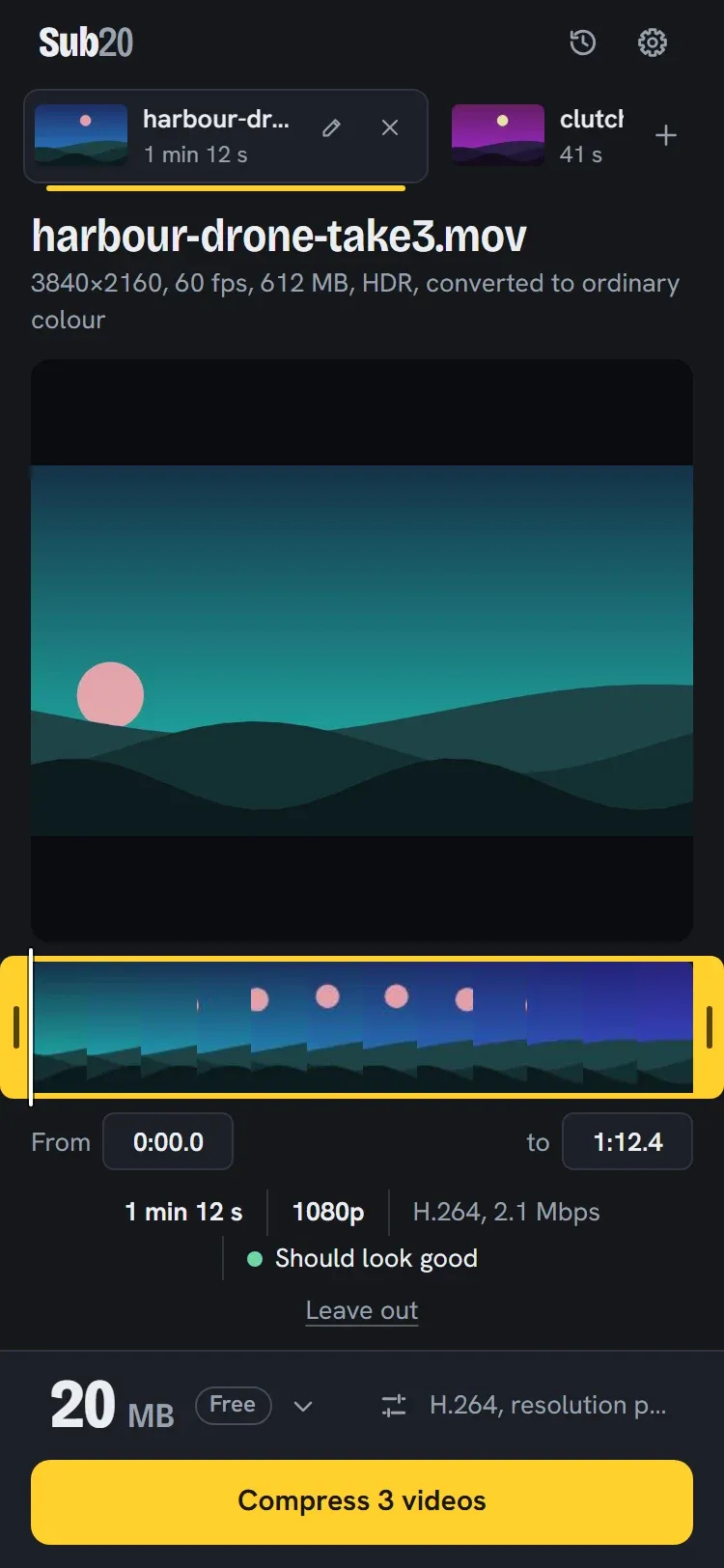
Before it starts, Sub20 says how it will look
When it's done, the clip is 19.4 MB, down from 248 MB
Tap Share, then pick DiscordDownload it, then drop it in Discord
Add it to Sub20, drag the yellow handles to keep the part worth sending, pick the size and press Compress. Sub20 works out the bitrate from the size and the length you kept, and encodes the clip again if it lands even a byte over.
20 MB on a free account, 50 MB with Nitro Basic, 500 MB in a boosted server and 1 GB with Nitro. Sub20's size picker names each one.
Because Sub20 is not code-signed yet. Click More info, then Run anyway; the install steps show where.
Yes, unless you choose otherwise. Sub20 saves H.264 video, the kind that plays in Discord on every computer and phone. Options also offers HEVC and AV1, which keep more detail at the same size but may not play everywhere: HEVC on some computers, AV1 on phones.
No, and there is no account. Sub20 works on your computer, and Lite inside your browser. The update check is the only request Sub20 makes by itself.
The guides go further, step by step.